Create your account
Everything on Market Hive SA starts with a free account. This guide gets you signed up and logged in. You do not need to decide anything about listings or payment yet.
About 5 minutes to read
Before you start
- An email address you can open right now
- A phone or computer with an internet connection
- About five minutes
Step 1: Go to the website
Open your web browser and type markethivesa.co.za into the address bar at the top, then press Enter. You will land on the front page.
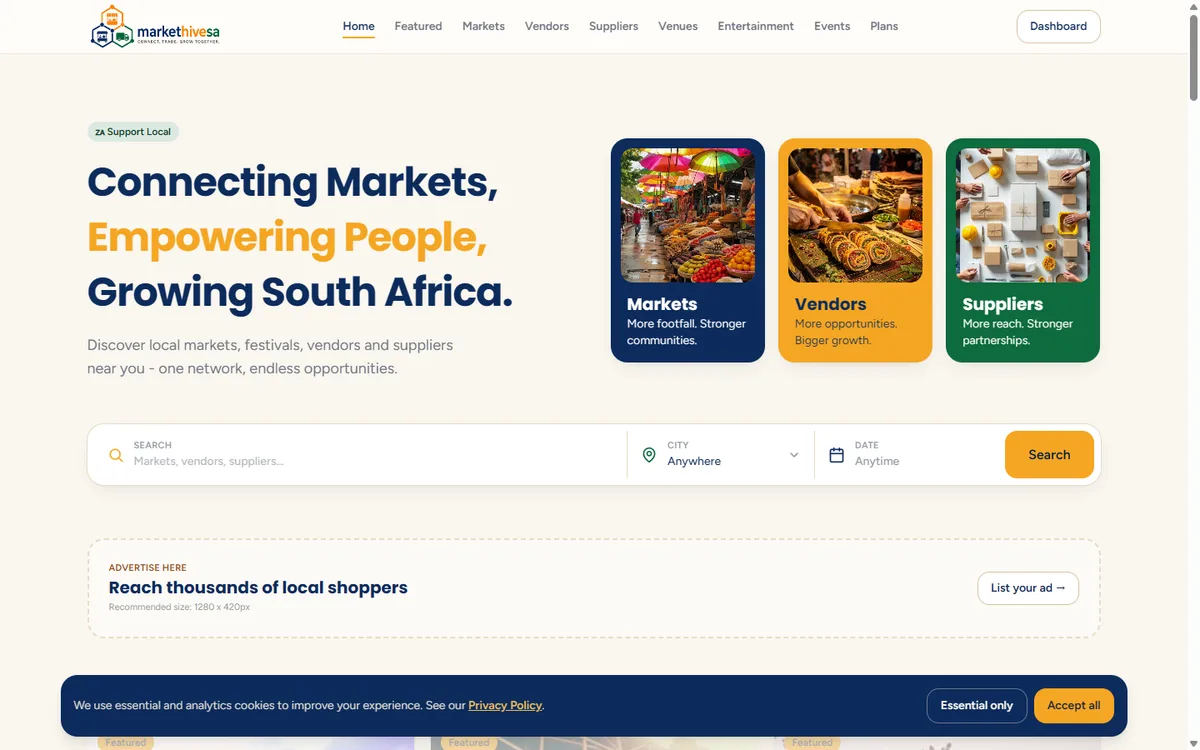
If you have used the site before
Step 2: Open the sign-up page
Click Log in at the top right, then click Create a free account on the panel below the login box. You can also go straight there by typing markethivesa.co.za/register in the address bar.
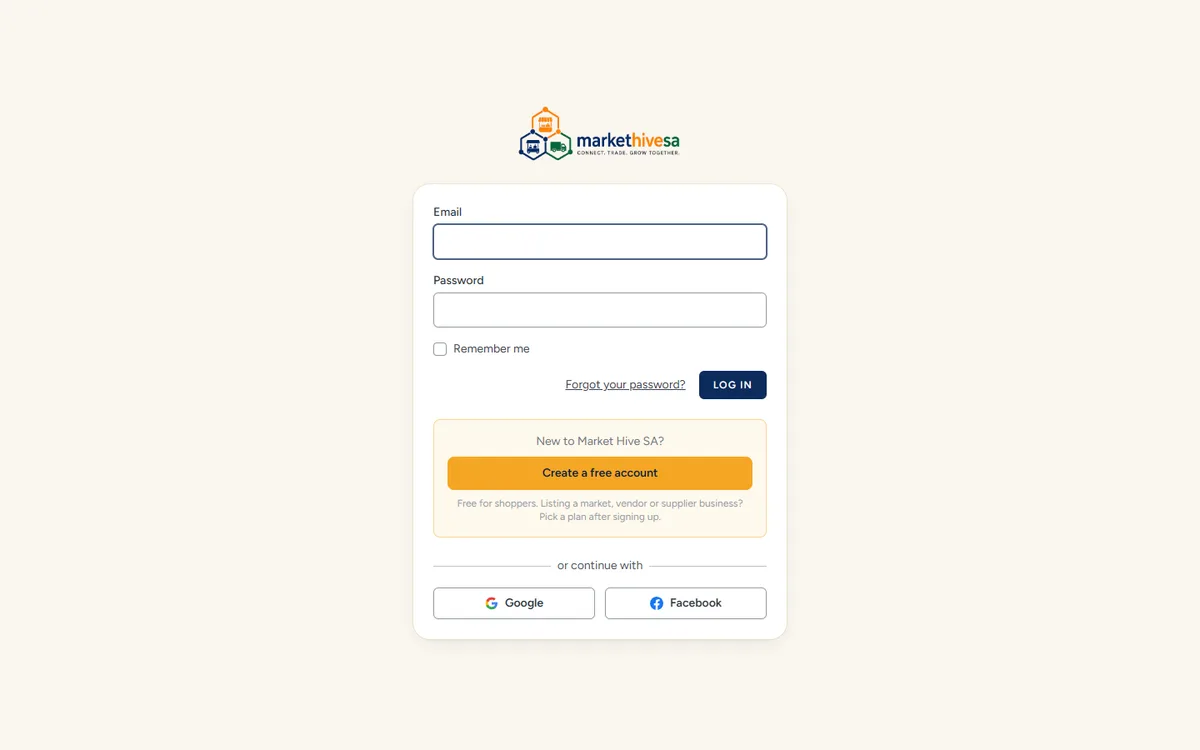
Step 3: Fill in your details
The sign-up form is short. Fill in each box:
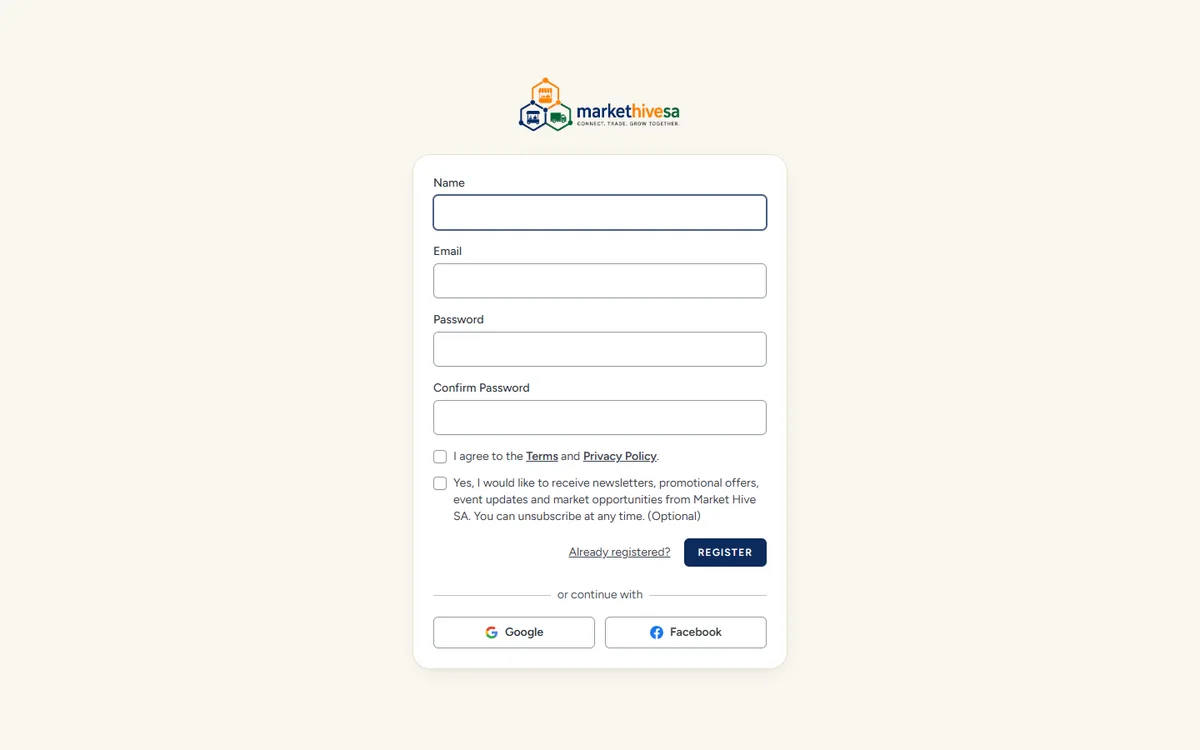
- Name - your own name, not your business name. You add the business later.
- Email - an address you actually check. This is how we contact you about your listing.
- Password - at least eight characters. Mix in a number so it is harder to guess.
- Confirm Password - type exactly the same password again.
Write your password down somewhere safe
Step 4: Read and tick the consent boxes
Under the password boxes there are two tick boxes.
- The first one is required. It confirms you agree to the Terms and the Privacy Policy. You cannot create the account without it.
- The second one is optional. It is about newsletters, offers and market opportunities by email. Leave it unticked if you would rather not, and nothing else changes. You can unsubscribe later either way.
If you want the detail first, read the privacy policy and the terms of use.
Step 5: Create the account
Click the Register button. If something is missing, the page will show a short message in red under the box that needs fixing. Correct it and click Register again.
When it works, you are signed in immediately and taken to your dashboard.
Signing up with Google or Facebook
Step 6: Check your account details
Click your name at the top right and choose Profile. This page is where you change your name, your email address or your password later on.
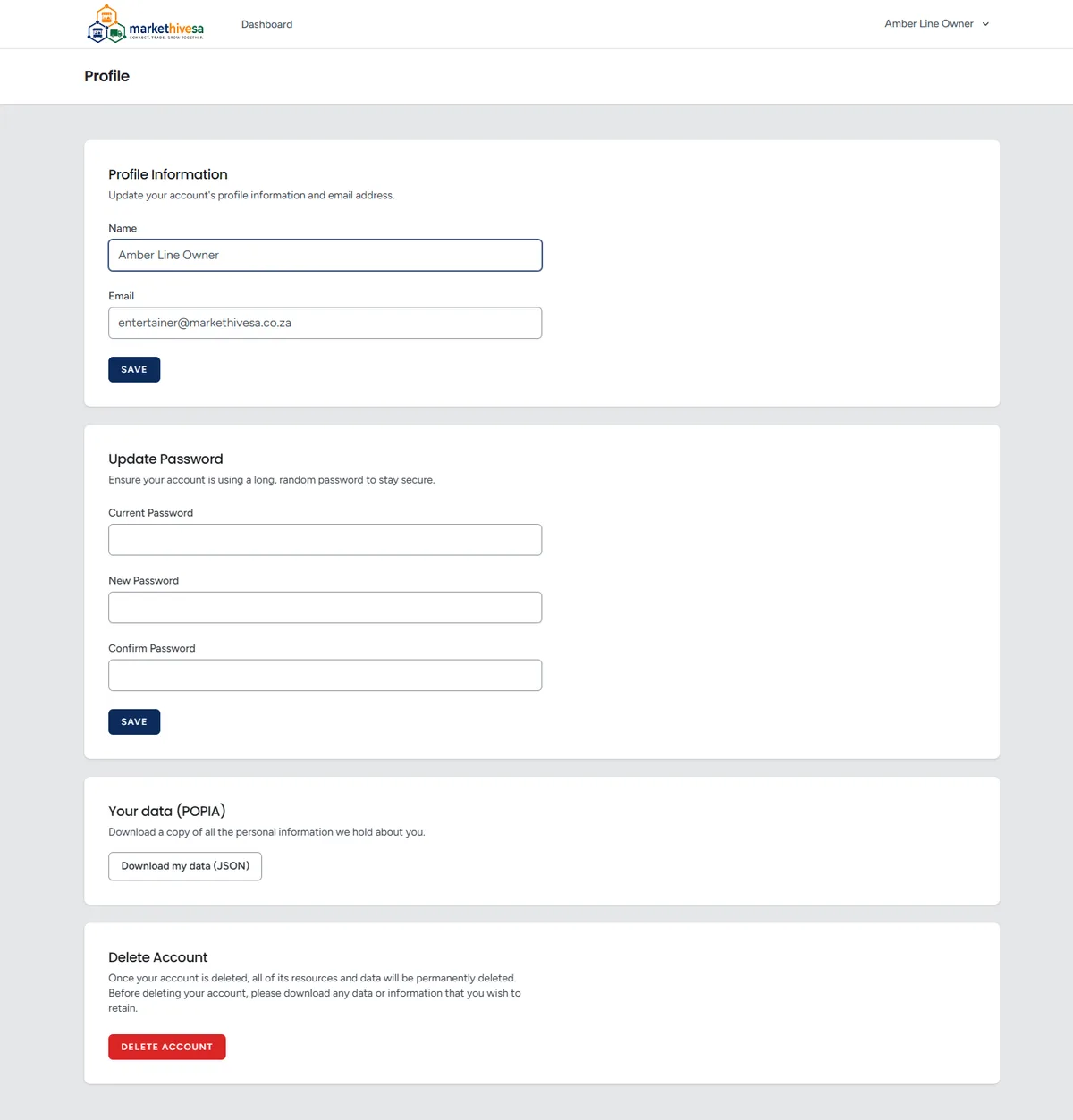
Each section saves separately
That is the account done. Next, work out which kind of listing fits your business.
Still stuck? Email [email protected] or use the contact form. Tell us which step you are on and we will walk you through it.