Edit and manage your listing
Your listing is not a form you fill in once. This covers changing details, swapping photos, building a gallery and keeping the page honest as your business changes.
About 8 minutes to read
Before you start
- A listing on your account
- You are logged in
Step 1: Open the editor
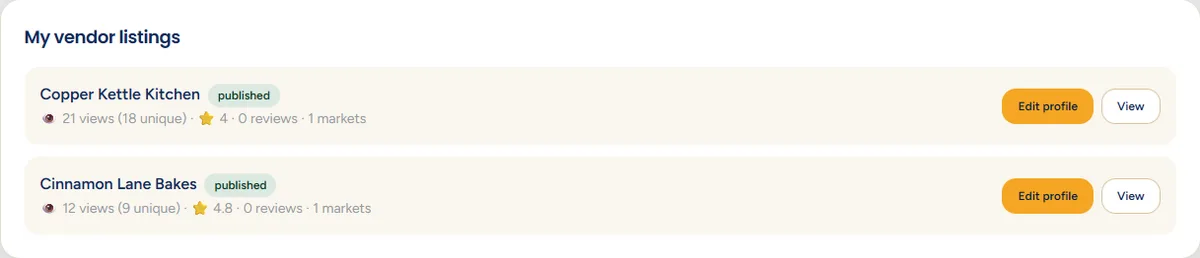
On your dashboard, find the listing and click Edit profile (organisers see Edit). The button sits on the right of each listing row.
Keep your public page open in another tab
Step 2: Find your way around the editor
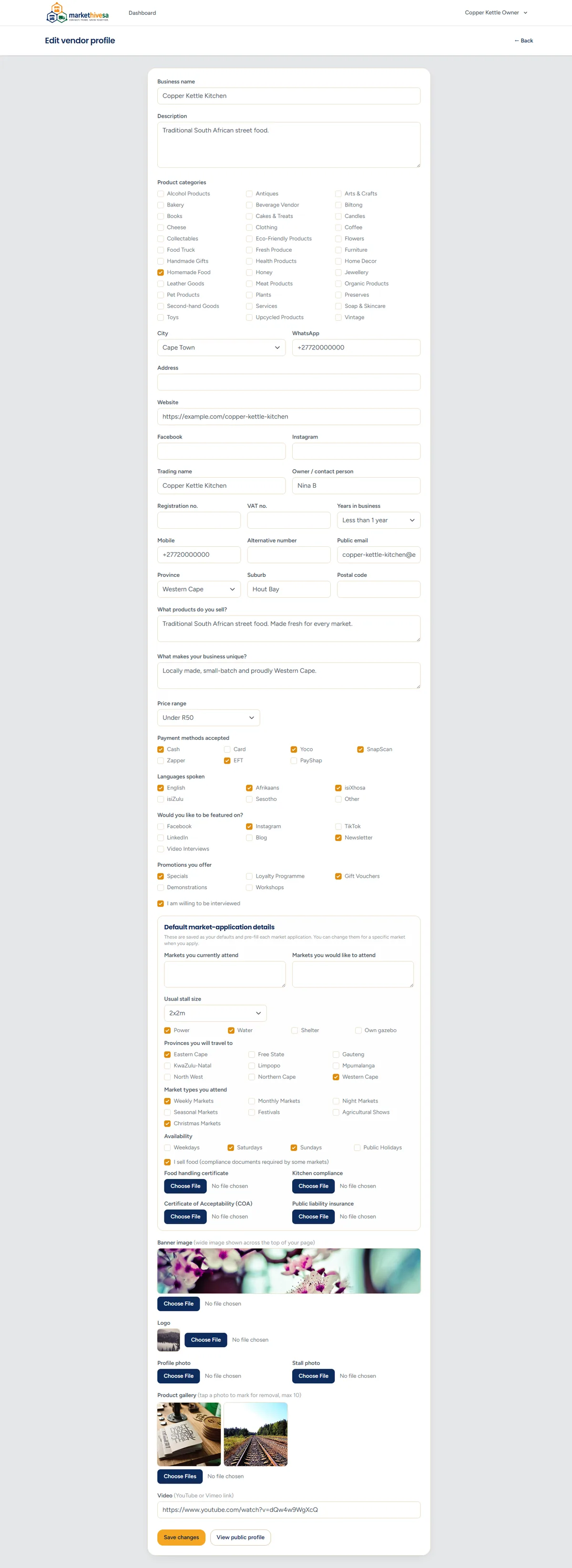
The editor is one long page holding every detail on your listing. Scroll down through it, or use your browser's find function (Ctrl and F, or Command and F on a Mac) to jump to a word like "gallery".
Nothing saves until you press Save
Step 3: Change your photos
Photos are the part worth revisiting most often. Each image field has its own Choose File button, and uploading a new file replaces the old one.
- Banner - the wide image across the top of your public page.
- Logo - shown in directory listings and on your page.
- Profile and stall photos - you at work and your stall set up.

To remove a gallery photo, tap or click it to mark it for removal, then save. To add more, use the Choose File button and select them.
Step 4: Update your default application details
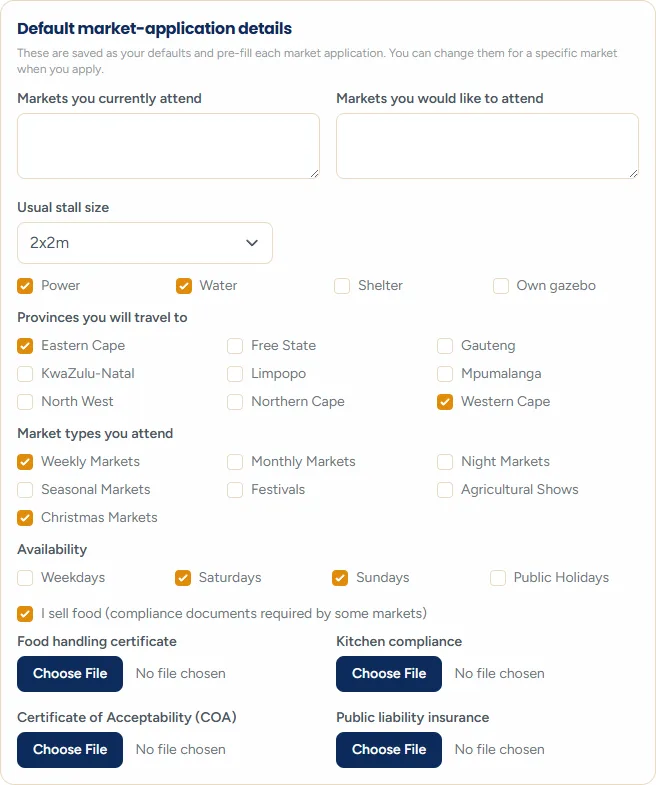
Vendors have a section that other listing types do not: the details sent with every market application. Change your stall size or your power needs once here rather than on each application.
Step 5: Save and check

Click Save changes. You get a short confirmation, then use View public profile to check the result on the real page. Always look. It is the only way to know it did what you expected.
Big changes may be checked again
Step 6: Organisers: managing dates and vendors
The market editor holds two things the others do not: the repeating date pattern, and your vendor line-up.

Approving vendors and removing them from single dates is covered in the attendance guide.
Step 7: What to keep up to date
An out-of-date listing costs you more than no listing, because it wastes people's time. Check:
- Your phone number and email - the moment either changes.
- Trading days and times - especially over December and January.
- Whether you are accepting vendors, if you run a market.
- Your products - when the range changes or a season ends.
- Your photos - once a season is plenty.
- Certificates - before they expire, not after.
Put a reminder in your phone
If you need a listing removed entirely, send us a message through the contact form and we will take it down.
Still stuck? Email [email protected] or use the contact form. Tell us which step you are on and we will walk you through it.