A tour of your dashboard
Your dashboard is the private page you land on after logging in. Nobody else can see it. This guide walks through every panel on it, so nothing on the screen is a mystery.
About 6 minutes to read
Before you start
- A Market Hive SA account
- You are logged in
Step 1: Getting to your dashboard
Log in and you are taken there automatically. If you wander off into the rest of the site, click your name at the top right and choose Dashboard, or type markethivesa.co.za/dashboard in the address bar.
Your dashboard is not the same as everyone else's
Step 2: The welcome bar at the top
The first strip says hello and holds the two buttons you will use most.

- View analytics takes you to the numbers for your listings.
- + Create a listing starts a new listing of any type.
Step 3: Membership
This panel shows which plan you are on and when it renews.

What the membership panel lets you do
Step 4: Your listings
Every listing you own appears here, whatever type it is, with a status label next to the name.
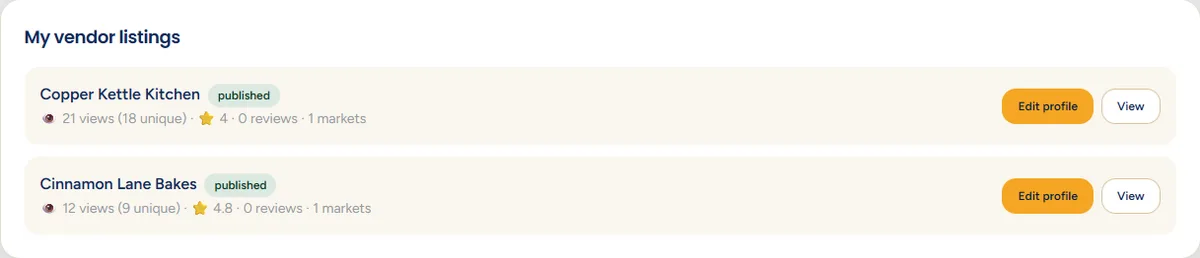
- pending means we have it and a person is still checking it. It is not on the public site yet.
- published means it is live and anyone can find it.
- Edit profile opens the form to change anything on the listing.
- View opens the public page exactly as a visitor sees it.
The small numbers under each name are how many times the page has been seen, the number in brackets being how many separate people that was. The star is your average review score.
Step 5: Panels that vendors see
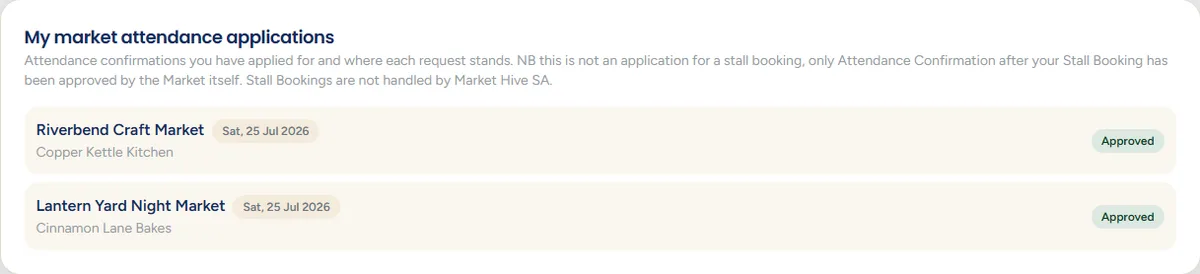
If you have a vendor listing, two extra panels appear.
My market attendance applications
Upcoming markets
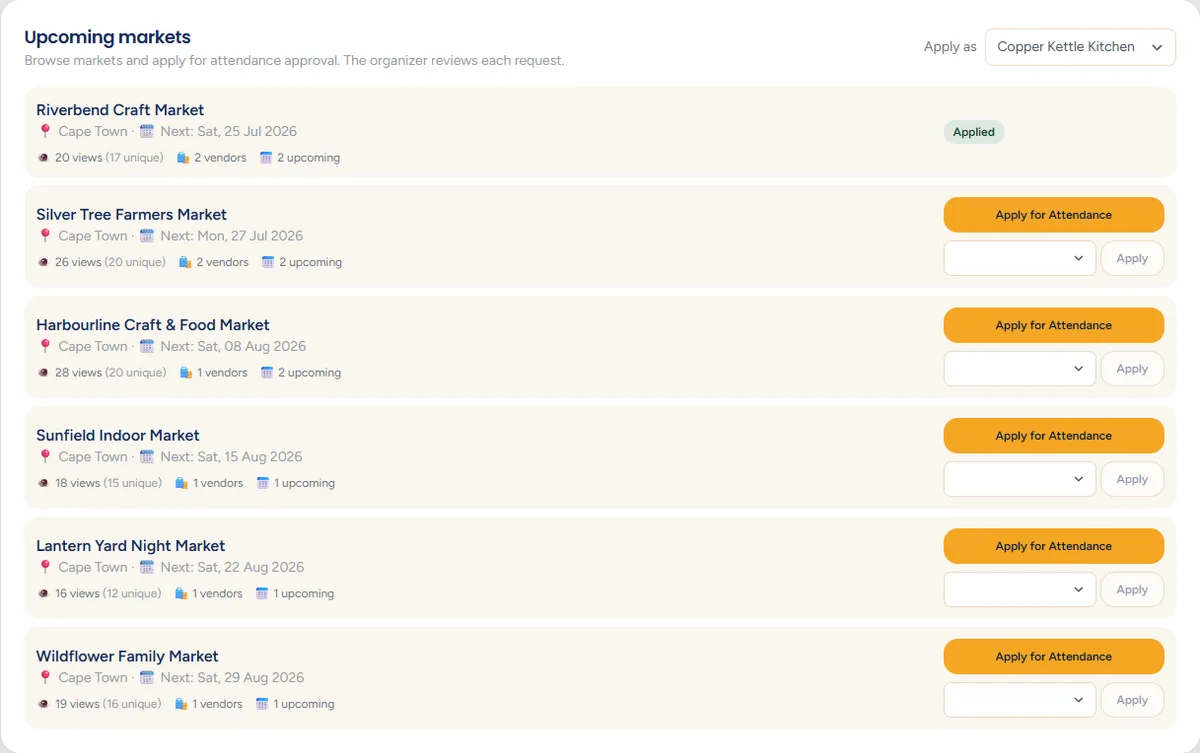
Both are explained properly in the attendance guide.
Step 6: Panels that organisers see
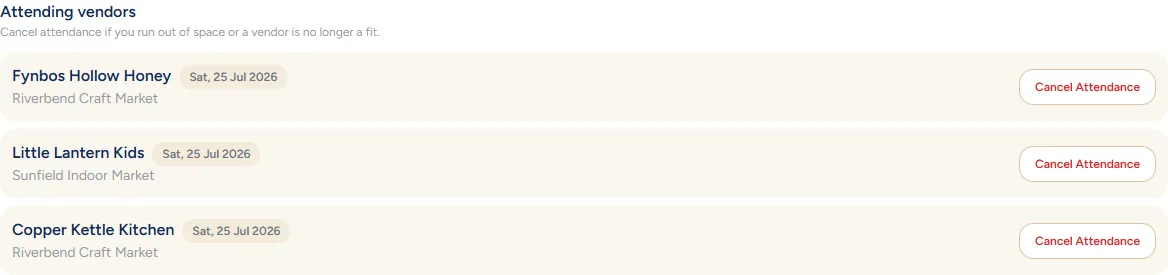
If you run a market, your markets panel has two extra blocks inside it.

Step 7: Smart matches
Near the bottom you may see suggestions. These are worked out from your location, your categories and where you trade. Nothing is booked or shared on your behalf, they are only suggestions to follow up.
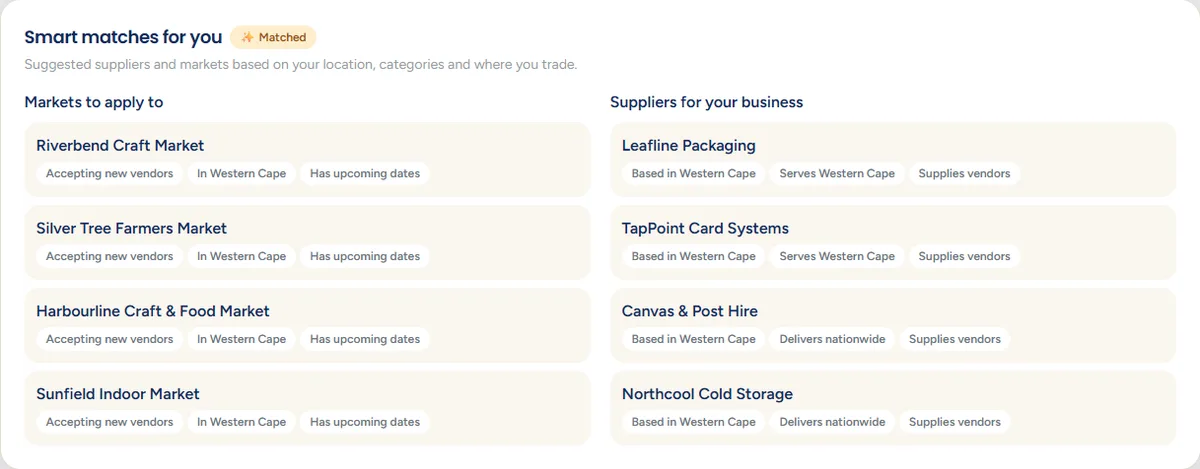
Organisers get entertainment matches
Step 8: Where everything else lives
- Your name, top right - profile settings and the log-out button.
- View analytics - views over time for each listing.
- Edit profile on a listing - every detail on the public page.
That is the whole dashboard. Next, create your first listing.
Still stuck? Email [email protected] or use the contact form. Tell us which step you are on and we will walk you through it.