Plans, payment and upgrading
What each plan costs, what it actually unlocks, and exactly how paying works today. The prices below come straight from the plans, so they are always current.
About 8 minutes to read
Before you start
- A Market Hive SA account
Got a promo code?
If you have a code, from us or from an offer on the Hive Memberships page, you enter it on the checkout screen, the last step before payment. Type it in the Have a promo code? box: Due today changes to R0 and the button changes to Apply code and finish, so you can see it has worked before anything happens.
Any offer running right now is shown on the Hive Memberships page.
Step 1: See the plans
Open Hive Memberships from the Help Centre or the footer, and tap your category: Vendors, Markets, Suppliers, Venues or Entertainment. The plans for that category appear, because a market pays differently from a vendor.
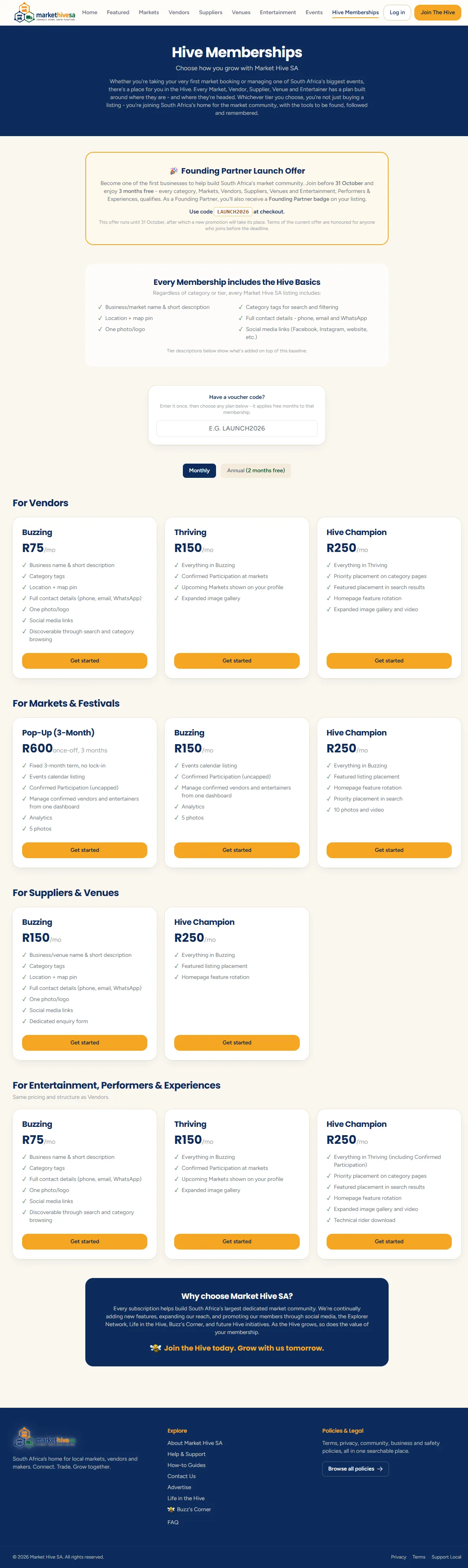
Step 2: What each plan costs
Vendors
| Plan | Price | What it includes |
|---|---|---|
| Buzzing | R30 a month or R300 a year |
|
| Thriving | R75 a month or R750 a year |
|
| Hive Champion | R150 a month or R1 500 a year |
|
Entertainers and performers
| Plan | Price | What it includes |
|---|---|---|
| Buzzing | R30 a month or R300 a year |
|
| Thriving | R75 a month or R750 a year |
|
| Hive Champion | R150 a month or R1 500 a year |
|
Markets and festivals
| Plan | Price | What it includes |
|---|---|---|
| Pop-Up (3-Month) | R150 once off, for 90 days |
|
| Buzzing | R50 a month or R500 a year |
|
| Hive Champion | R150 a month or R1 500 a year |
|
Suppliers and venues
| Plan | Price | What it includes |
|---|---|---|
| Buzzing | R50 a month or R500 a year |
|
| Hive Champion | R100 a month or R1 000 a year |
|
Each tier includes everything below it
Step 3: What the features actually mean
- Gallery - extra photos on your public page, not just the one main image.
- Map - a map showing where you are.
- Video - a YouTube or Vimeo video embedded on your page.
- Badge - a small tier badge on your listing.
- Priority placement - your listing sorts ahead of lower tiers in the directory. It does not hide anyone else, it changes the order.
- Homepage eligibility - you can be shown in the featured rows on the front page.
- Lead inbox - enquiries from your supplier listing collected in one place.
- Market linking and event calendar - your listing connects to the markets you attend and their dates.
Start on the cheapest plan that fits
Step 4: How paying works
On the plans for your category, click Get started on the plan you want. What happens next depends on whether you already have a listing of that type:
- No listing yet? We take you to the application form for that category first, so we have your details before any money changes hands. Submit it and you land straight on checkout.
- Already have one? You go straight to checkout.
Checkout shows the plan, the listing it applies to, a monthly or annual choice, and what is due today. This is where the Have a promo code? box is, if you have a code. Click Continue to payment and you are handed to PayFast, South Africa's payment provider, to pay by card or EFT.
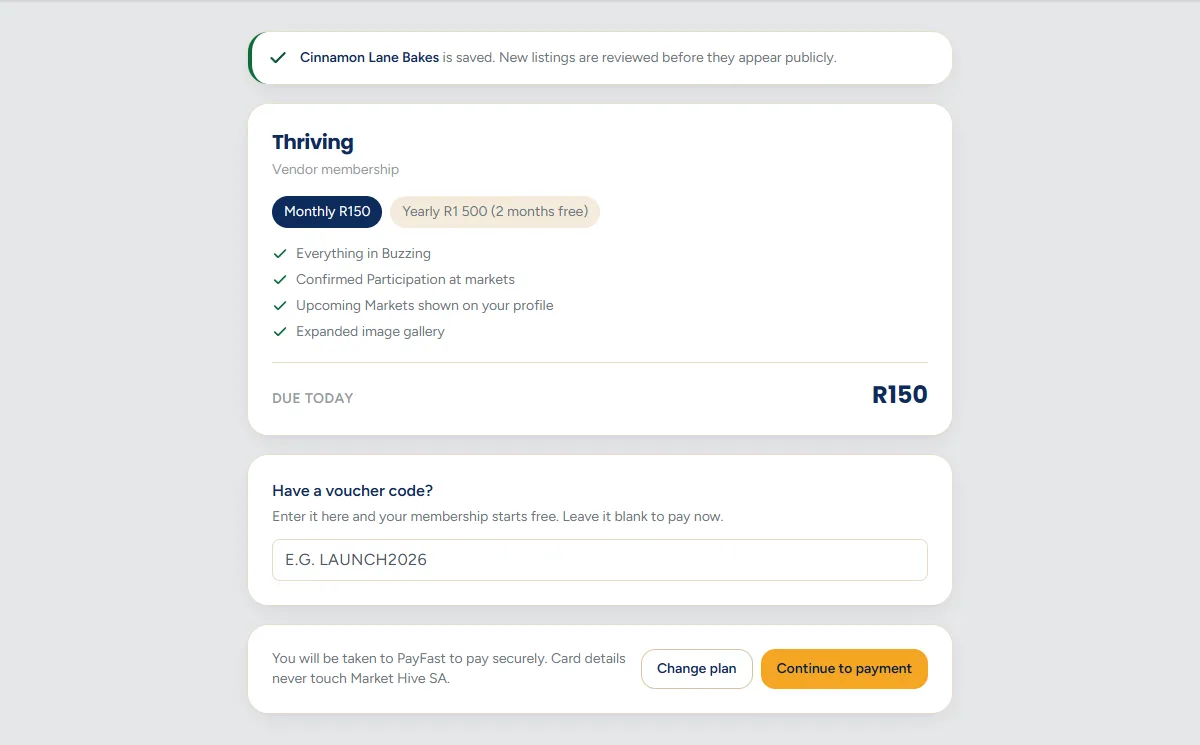
When PayFast confirms, you are returned to your dashboard and the membership panel shows the plan as active, usually within seconds.

Market Hive SA never sees your card
Step 5: If you are on a free period
Use a promo code and the membership starts immediately with nothing to pay. So that it can carry on without you having to do anything, add a card from your dashboard: press Add a card on the membership panel and PayFast checks it with a R0.00 authorisation. Nothing is charged then.
When the free period ends, the normal fee is charged to that card and the membership simply continues. If you would rather it stopped, cancel before the end date and nothing is taken.
Step 6: Renewals, upgrades and cancelling
- Monthly and annual plans renew automatically on the date shown in your membership panel. You can see that date on your dashboard at all times.
- The 3-Month Pop-Up does not renew. It is a single payment covering 90 days, and it simply ends. There is nothing to cancel.
- Upgrading applies the new tier to your listings of that type. A vendor plan applies to every vendor listing on your account.
- Cancelling is self-service. Press Cancel membership on the membership panel of your dashboard. Nothing is removed on the spot: no further payments are taken, your listing keeps its full features until the date you have already paid for. After that it comes off the public site, because Market Hive SA has no free tier. Nothing is deleted, and everything is exactly where you left it if you restart.
- Reminders before anything is charged. We email you before a free period or a membership ends, so a renewal never arrives as a surprise.
Refunds are covered by the refund policy.
Step 7: Do I have to pay at all?
Browsing, searching and leaving reviews are free and always will be. You need a paid plan to run a business listing.
Advertising is separate from plans. If you want banner placement rather than a listing, see Advertise with us.
Still stuck? Email [email protected] or use the contact form. Tell us which step you are on and we will walk you through it.